-
play_arrow
Live from the studio, music on air 100 % House and Techno
-
 play_arrow
Lenny Fontana radioshow Lenny Fontana
sms757690653 ✆ 757690653 🕾 757690653

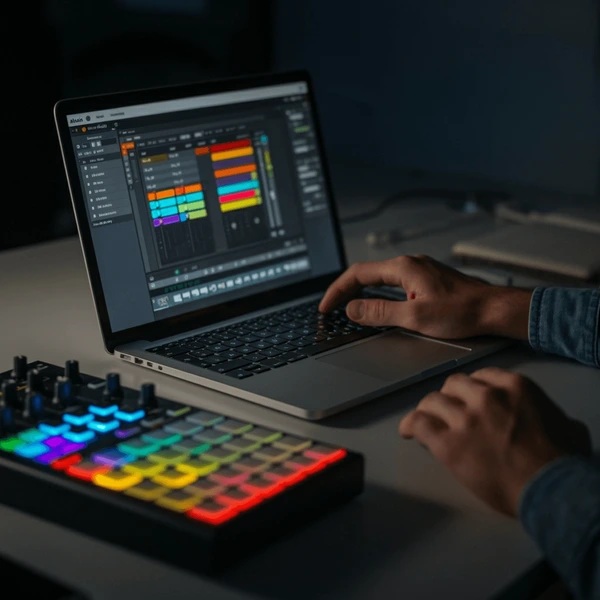
How to create Techno music with Ableton
Set the Foundation (Tempo & Groove)
Tempo : 125–135 BPM (128–132 BPM is a sweet spot)
Time Signature : 4/4
Keep it steady. Techno thrives on consistency.
Build the Kick Drum (The Core of Techno)
Your kick is everything.
How to create it :
Load a Drum Rack or drop a kick sample onto an audio track.
Program a kick on every beat (4-on-the-floor).
Use EQ Eight :
Cut muddy mids (200–400 Hz if needed)
Slight boost around 50–60 Hz for weight
Add subtle Saturation for warmth.
Optional : Light compression for punch.
Tip : Don’t over-layer. One strong kick > three weak ones.
Add a Bassline (Keep It Minimal)
Techno basslines are often :
Repetitive, Groove-focused, Sub-heavy
How to create it :
Load Operator or Analog.
Start with a sine or saw wave.
Write a short 1–2 bar looping pattern.
Sidechain it to the kick :
Add Compressor
Enable Sidechain → Select Kick
Adjust threshold until it pumps slightly
The goal : groove, not melody.
Percussion & Hi-Hats (Create Movement)
Now build rhythm texture.
Add :
Closed hats (off-beat), Open hats, Shakers, Light percussion loops
Groove Tip :
Slightly adjust velocity.
Use Ableton’s Groove Pool to humanize timing.
High-pass most percussion to keep low-end clean.
This is where your track starts feeling alive.
Add Atmosphere & Texture
Techno is about space.
Try :
Pads with lots of reverb, Field recordings, Noise layers, Filtered synth drones
Use :
Reverb (long decay for atmosphere), Auto Filter for movement, Automation on cutoff + resonance
Movement = interest.
Create a Lead or Hook (Optional but Powerful)
Minimal techno may skip this. Peak-time techno often uses one.
Use a saw wave or FM synth
Keep melody simple (1–4 notes)
Automate filter opening during build-ups
Add delay for width
Less is more.
Arrangement Structure (Simple but Effective)
A common techno arrangement :
0:00 – 1:00
Kick + light percussion
1:00 – 2:00
Bass enters
2:00 – 3:30
Full groove + atmosphere
Breakdown
Remove kick, automate filters
Drop
Everything returns with more energy
Automation is your best friend here.
Build Tension the Techno Way
Instead of cheesy risers, try :
Increasing reverb size, Gradually opening filters, Adding subtle distortion, Removing low-end before the drop, Reintroducing the kick clean and strong
Techno tension is subtle, not explosive.
Mixing Basics for Techno
Keep low-end mono
High-pass non-bass elements
Don’t overcrowd midrange
Use reference tracks
Leave headroom (-6 dB before mastering)
Clean mix = powerful club sound.
Final Touch: Repetition With Evolution
Techno is repetitive — but never static.
Every 8 or 16 bars:
Add or remove an element
Change a filter slightly
Add a subtle FX hit
Modify velocity
Tiny changes keep listeners locked in.
Final Advice
Techno isn’t about complexity.
It’s about groove, tension, texture, and patience.
Start minimal.
Let it loop.
Then slowly shape energy.
Similar posts

Featured post
Latest posts
Current show
Upcoming shows










Post comments (0)